Long rain videos are one of the most popular formats on sleep and focus channels. You do not need to edit hours of footage: you need one good short clip, a sound track, and a tool that repeats the clip for the full length. Here is the whole process, step by step.
In this guide
What you need
- A short rain clip (MP4), for example 10 to 60 seconds of rain on a window, a rainy street at night or a forest in the rain.
- A rain or ambient audio track (MP3). You can use one long track, or music with a quiet rain layer on top.
- A Windows 10 or 11 PC (64-bit) with free disk space. An 8-hour video is a large file.
- The right to use the footage and audio. RenderCore does not include stock clips or music, so use your own material or content you are licensed to use.
Choose a clip that loops well
The clip is what viewers will watch repeat, so pick one where the repeat is hard to notice:
- A steady scene works best: rain on glass, falling rain with a fixed camera, a quiet street.
- Avoid single events that stand out, such as a car passing, a person walking through or lightning. Viewers will spot them every time the clip repeats.
- Avoid strong camera movement in one direction. Gentle, even motion is easier to repeat.
Choose the audio
For a sleep video, the sound matters as much as the picture. Many channels use a continuous rain track alone, or soft music with rain underneath. RenderCore plays your master audio from start to finish without restarting at each loop point, and you can add an optional ambient sound layer with its own volume control.
Set up the video in RenderCore
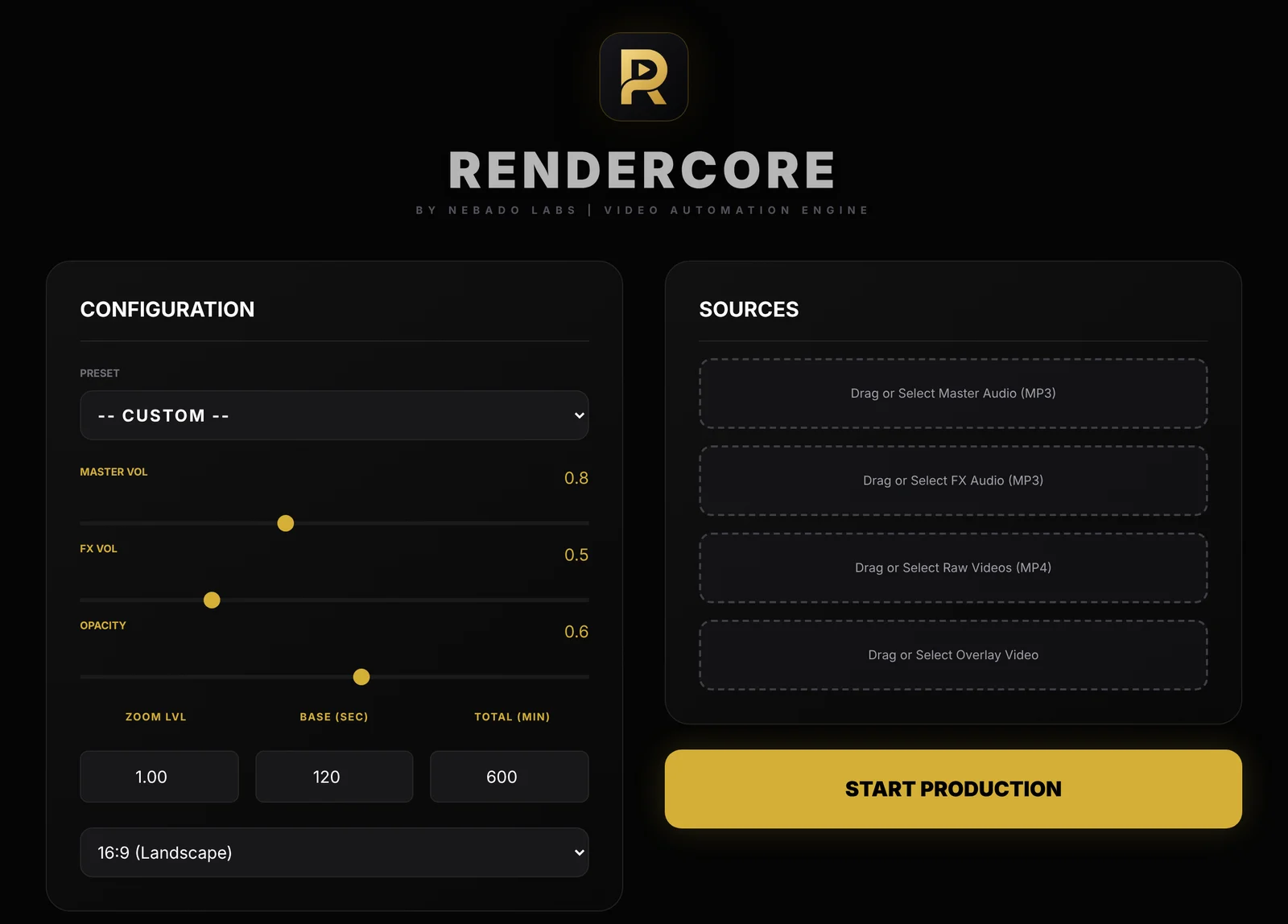
The RenderCore window: Configuration on the left, Sources on the right.
- Add your sources. Select your rain clip under Raw Videos and your track under Master Audio. Add an FX Audio layer (for example light thunder at low volume) and an Overlay Video if you want.
- Set the length. Enter the loop block length in Base (sec) and the full video length in Total (min). For 8 hours, enter 480.
- Pick the format. Choose 16:9 landscape for YouTube, or 9:16 for Shorts, Reels and TikTok.
- Adjust the sound and look. Use Master Vol and FX Vol for the audio mix, and Opacity and Zoom for the overlay. You can also start from a ready-made preset such as Midnight Rain & Sleep.
- Press Start Production. RenderCore renders one MP4 on your PC and saves it to your Videos folder, in a folder named Nebado RenderCore. Everything runs offline, and your files are not uploaded anywhere.
A long render takes time and depends on your computer, so it is a good idea to test the whole process with a 5-minute video first.
Before you upload to YouTube
- Check the file by skipping to the middle and the end of the video to make sure picture and sound are fine.
- Write a clear title and description. Say what the video is for (sleep, study, relaxation) and how long it is.
- Think about originality. YouTube's rules on repetitive or mass-produced content can affect monetization. Original footage, your own music and a clear point of view help your channel stand apart.
- Know the limits of your channel. Very long uploads can require a verified channel, so check YouTube's current requirements.
Try RenderCore free
No timeline dragging, no command line: pick a clip and a track, type the length, start. Every feature, no time limit. Videos made in trial mode carry a small watermark; a one-time license removes it. Windows 10 and 11, 64-bit.
Frequently asked questions
How long does it take to render an 8-hour video?
It depends on your computer, the video format and the clips you use. Run a short test first (for example 5 minutes) to get a feel for the speed before you start a long render.
Does the music restart at every loop?
No. The visual block repeats, while your master audio plays continuously from start to finish.
Do I need an internet connection?
No. RenderCore renders completely offline. A connection is only needed once to activate a license.
Is there a watermark?
In the free trial, videos carry a small "Made with RenderCore" text. A one-time license removes it. The trial has every feature and no time limit.