There are three common ways to turn a short clip into a 10-hour sleep or ambient video: a timeline editor, the free FFmpeg command line, or a dedicated loop renderer such as RenderCore. All three can produce the video. The difference is how much of your time each one takes, every time you make one.
At a glance
| Timeline editor | FFmpeg | RenderCore | |
|---|---|---|---|
| Making 10 hours from a 30 s clip | Duplicate the clip ~1,200 times on the timeline | One command with the right options | Type 600 in Total (min) |
| Music at the loop point | Continuous if you lay it out separately | Continuous if mapped correctly | Always continuous |
| Changing the length | Rebuild the timeline | Edit the command | Change one number |
| Second sound layer, overlay | Yes, by hand | Yes, with filter syntax | FX Audio and Overlay Video fields |
| Skills needed | Basic editing | Command line | None |
| Best for | Videos with real editing: cuts, titles, transitions | Developers and automated scripts | Publishing long loop videos regularly |
Timeline editors (CapCut, Premiere, DaVinci Resolve)
Timeline editors are made for editing: cutting, arranging, titles and transitions. A loop video needs none of that. It needs the same clip repeated for hours. In a typical editor that means copying the clip again and again until the timeline reaches ten hours, which with a 30-second clip is about 1,200 copies. The project gets heavy, and if you later want 8 hours instead of 10, you rework the timeline.
Use an editor when your video has a story, cuts or changing scenes, or when you only make a long video once in a while.
FFmpeg
FFmpeg is free, fast and the engine behind many video tools. A 10-hour loop can be made with a single command, for example:
ffmpeg -stream_loop -1 -i clip.mp4 -i music.mp3 -map 0:v -map 1:a -t 36000 -c:v libx264 -c:a aac out.mp4
This loops the clip endlessly, takes the picture from the clip and the sound from the music file, and stops at 36,000 seconds (10 hours). Adding a second sound layer at a different volume, an overlay with transparency, a vertical version or a different length each means more options and more syntax.
Use FFmpeg when you are comfortable on the command line, or you want to automate renders with scripts.
RenderCore
RenderCore is built for exactly one job: long loop videos. You choose the clip, the master audio, an optional ambient layer and overlay, type the length and the format, and click Start Production. The picture repeats, the music plays straight through, and one MP4 is saved on your PC. Making the same video in 3, 8 and 10-hour versions is a matter of changing one number.
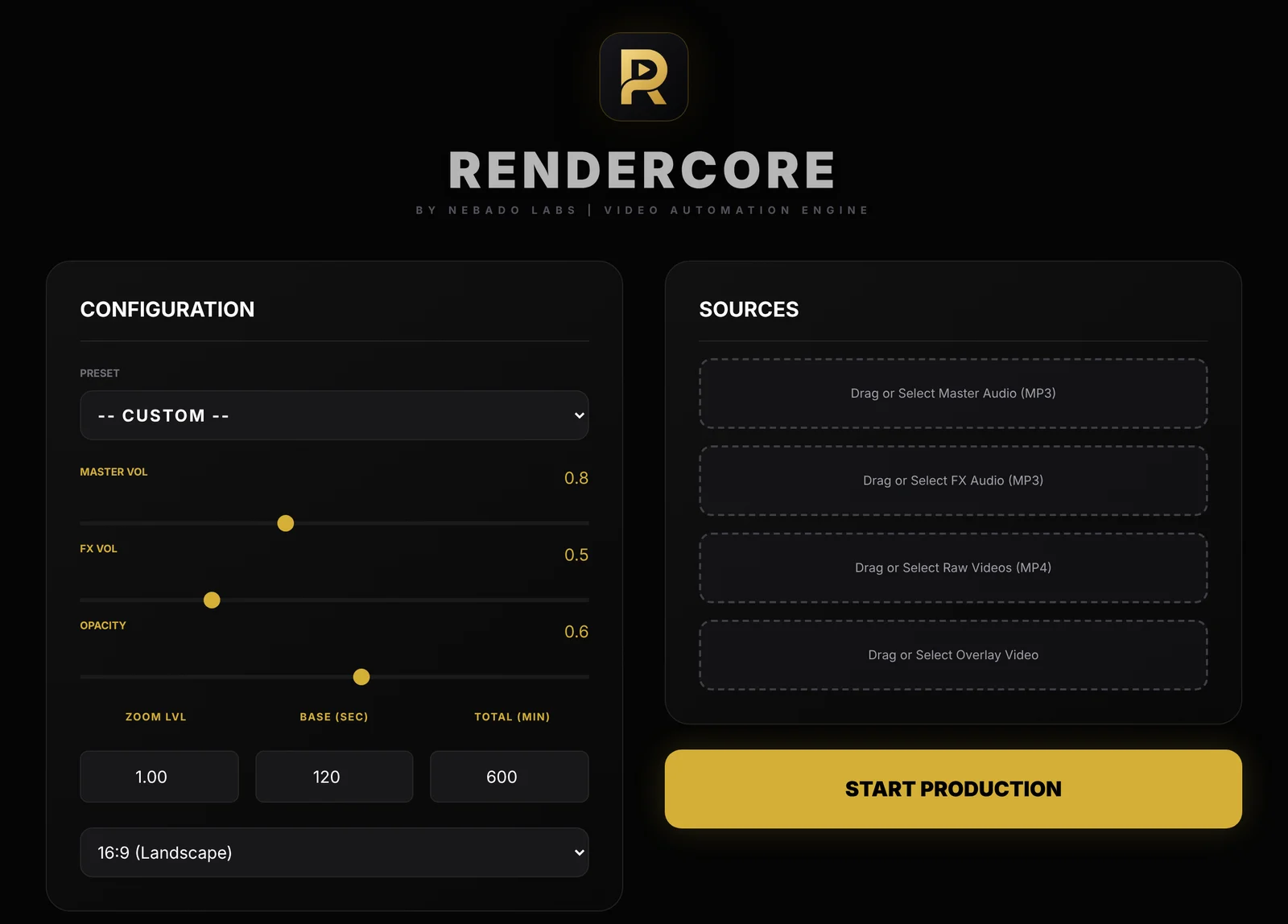
The RenderCore window: Configuration on the left, Sources on the right.
- Runs offline on Windows 10 and 11. Your files are not uploaded.
- Presets such as Midnight Rain & Sleep to start quickly.
- 16:9 for YouTube and 9:16 for Shorts, Reels and TikTok.
- Free trial with every feature and no time limit. Trial videos carry a small watermark; a one-time license removes it.
Which one should you use?
- You edit stories, vlogs or tutorials: a timeline editor.
- You write code and want full control: FFmpeg.
- You publish sleep, rain, ambient or study videos every week and want them done in minutes: RenderCore.
Many creators use more than one: an editor for the occasional special video, and a loop renderer for the regular long uploads.
Try RenderCore free
No timeline dragging, no command line: pick a clip and a track, type the length, start. Every feature, no time limit. Videos made in trial mode carry a small watermark; a one-time license removes it. Windows 10 and 11, 64-bit.
Frequently asked questions
Can CapCut make a 10-hour video?
Timeline editors can export long videos, but you have to fill the timeline yourself, usually by duplicating the clip many times. Check the current export limits of your editor before you start.
Is FFmpeg better than RenderCore?
FFmpeg is more flexible and free, and RenderCore is far easier for this one job. If you are comfortable on the command line, FFmpeg is a great option.
Does RenderCore cut the music at each loop?
No. The picture repeats while the master audio plays continuously from start to finish.
Is RenderCore a subscription?
No. The trial is free with no time limit, and a license is a one-time purchase.