Fireplace videos play on TVs for hours, especially in autumn and winter and around the holidays. The picture is simple, but a fire is also one of the hardest things to loop well, because flames never move the same way twice. Here is how to choose the clip, build the sound and render a long video.
In this guide
Why fireplace videos are popular
People put a fireplace video on the living room TV as background for reading, dinner, guests or falling asleep. Demand usually rises when the weather gets cold and peaks around the winter holidays, so it is worth having fireplace videos ready before that season starts.
Choose a fire clip that loops
- Fixed camera. The frame must not move at all, otherwise the jump at the loop point is obvious.
- A steady fire. Use a fire that has been burning for a while. A fire that is being lit or dying down changes too much over the clip.
- Nothing that enters or leaves. No hands adding wood, no pets walking past, no falling logs.
- A longer clip helps. Flames are irregular, so a 1 to 3 minute clip usually loops less noticeably than a 10-second one.
- Use your own footage or licensed footage. RenderCore does not include stock clips.
Build the crackling sound
The crackle is what makes a fireplace video feel real. Use a long crackling recording as the master audio, so it plays from start to end without restarting. If you want a cozier mix, add a second layer, for example soft rain on a window, wind outside or quiet piano, at a lower volume.
Make it in RenderCore
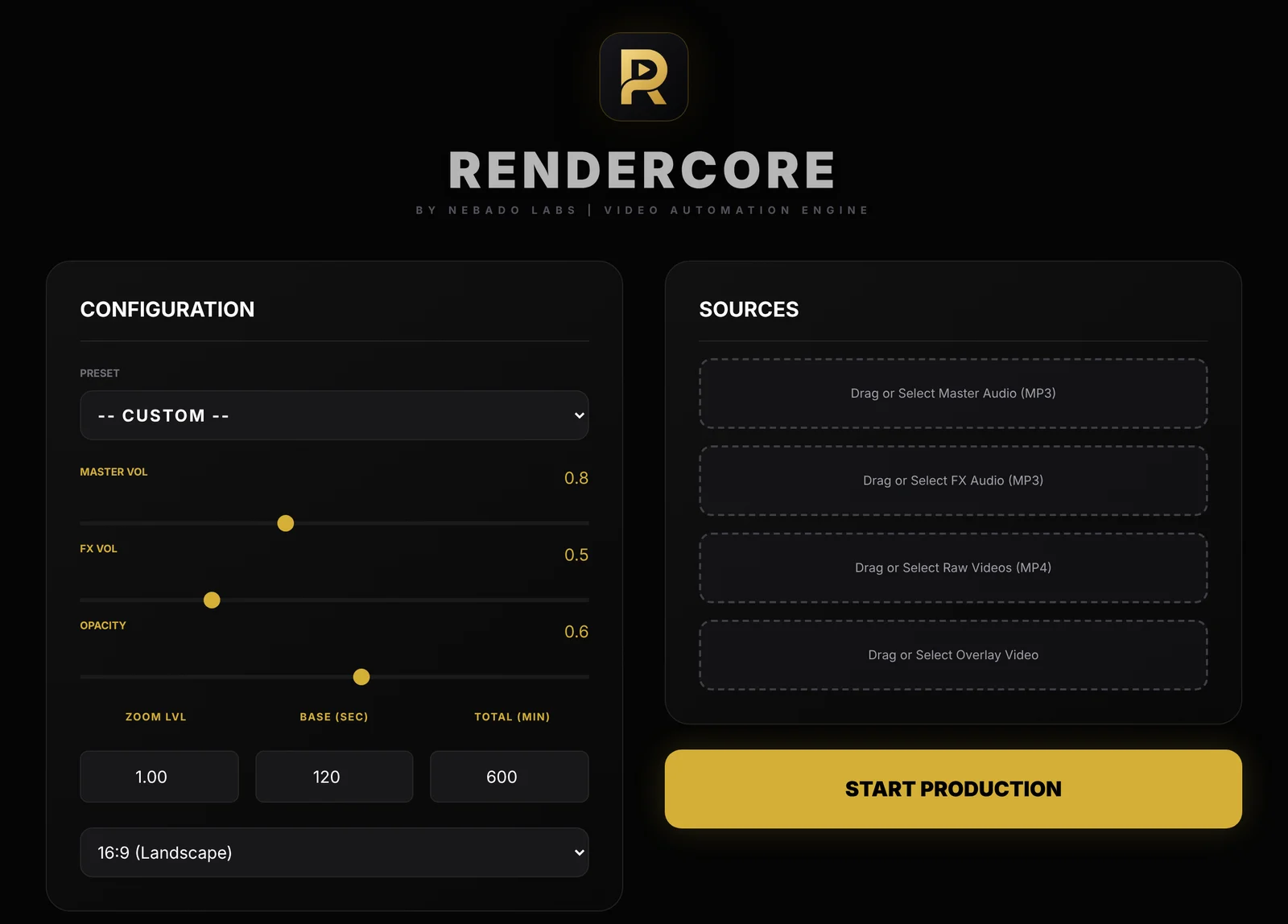
The RenderCore window: Configuration on the left, Sources on the right.
- Add your fire clip under Raw Videos and the crackling track under Master Audio.
- Add rain, wind or music under FX Audio if you want a second layer, and lower FX Vol so it stays in the background.
- Set Base (sec) to your loop block length and Total (min) to the full length: 180 for 3 hours, 600 for 10 hours.
- Choose 16:9 (1920x1080) for TV viewing on YouTube, or 9:16 for Shorts.
- Click Start Production. The MP4 is saved in your Videos folder, in the Nebado RenderCore folder. Run a 5-minute test first.
Variations that stand out
Search results are full of plain fireplace videos. A clear variation gives viewers a reason to pick yours:
- Fireplace with rain or a storm outside.
- Fireplace with soft jazz or piano for evenings and dinners.
- A cozy cabin or library scene with the fire as one part of the room.
- Seasonal versions for autumn or the holidays, released a few weeks before the season.
Whatever you choose, say it clearly in the title together with the length, for example "Cozy Fireplace with Rain Sounds, 10 Hours".
Try RenderCore free
No timeline dragging, no command line: pick a clip and a track, type the length, start. Every feature, no time limit. Videos made in trial mode carry a small watermark; a one-time license removes it. Windows 10 and 11, 64-bit.
Frequently asked questions
How long should a fireplace video be?
3 hours works for an evening, 8 to 10 hours for sleep or for leaving it on all day. Many channels publish both.
How do I stop the fire loop from being noticeable?
Use a fixed camera, a steady fire and a longer clip, ideally a minute or more. Avoid any event in the clip that happens only once.
Can I add rain to a fireplace video?
Yes. Use the crackle as the master audio and add rain as a second layer with its own volume in RenderCore.
Does RenderCore come with fireplace footage?
No. Use your own clips or footage you have the right to use.