You have a long playlist or an hour of music, and only a short clip to go with it. The usual problem: the video ends long before the music, or the music gets cut when the clip repeats. The fix is to let the picture loop while the audio plays straight through. Here is how to do it.
In this guide
The problem with regular editors
In a normal video editor the timeline follows the video. To cover an hour of music with a 20-second clip, you have to paste the clip about 180 times, line it up, and hope nothing shifts. It works, but it is slow, the project gets heavy, and changing the length means doing it again.
How looping to the audio works
- The audio is the master. It plays once, from start to finish, without cuts.
- The picture repeats underneath. Your clip, or a block of several clips, plays again and again until the video reaches the length you set.
- One file comes out. A single MP4 with continuous sound, ready to upload.
This is how most lofi, study, chill and ambient music videos on YouTube are made.
Step by step in RenderCore
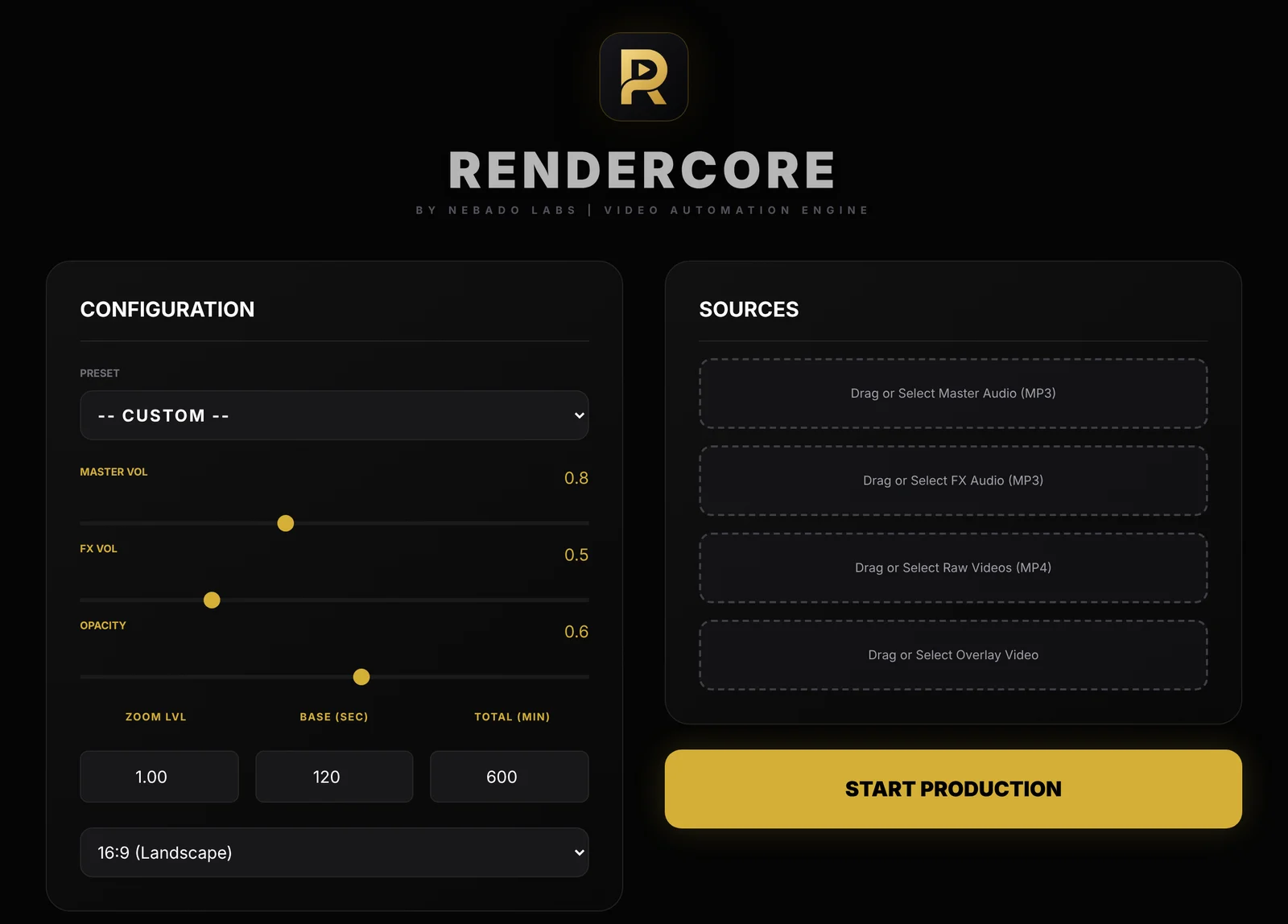
The RenderCore window: Configuration on the left, Sources on the right.
- Add the music. Put your track under Master Audio. It plays continuously and is never restarted at the loop point.
- Add the clip. Put your clip under Raw Videos. You can add more than one clip to make the visual block longer and less repetitive.
- Set the length. Enter the loop block length in Base (sec). In Total (min), enter the length of your music in minutes, for example 60 for a 1-hour mix.
- Optional layers. Add an ambient sound such as rain under FX Audio, or an Overlay Video such as dust or snow particles, with its own opacity.
- Render. Choose 16:9 or 9:16 and click Start Production. Everything runs offline on your PC.
Tips for playlists and mixes
- Merge the playlist into one file first. If your playlist is several songs, join them into one MP3 in an audio editor so the gaps and volume are consistent.
- Match the mood. A calm clip for calm music; viewers notice when fast footage runs under slow music.
- Use music you have the rights to. Copyright claims on a long mix can take the whole video's revenue.
- Add timestamps. For a playlist, list the track times in the description. Viewers use them, and they help the video show up in search.
Try RenderCore free
No timeline dragging, no command line: pick a clip and a track, type the length, start. Every feature, no time limit. Videos made in trial mode carry a small watermark; a one-time license removes it. Windows 10 and 11, 64-bit.
Frequently asked questions
Can I loop a video to match a 1-hour song?
Yes. Put the song under Master Audio, set Total (min) to 60 and RenderCore repeats the clip for the full hour while the song plays once.
Will the music restart when the clip repeats?
No. The master audio plays continuously; only the picture repeats.
Can I use several clips?
Yes. Add more than one clip under Raw Videos to build a longer visual block before it repeats.
Does it work for vertical videos?
Yes. Choose 9:16 for Shorts, Reels and TikTok.